


Smart TV Remote Control APP
3.9868.00 Reviews
App Specs
- Version
- 2.1.3
- Updated On
- License
- Free
- Downloads
- 5,000,000+
- Developer
- Vsray Technology
- Categories
- Tools
- Platform
- Android
Screenshots
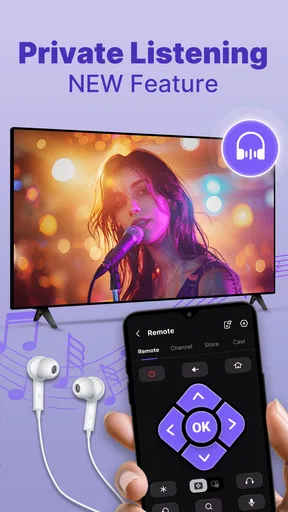
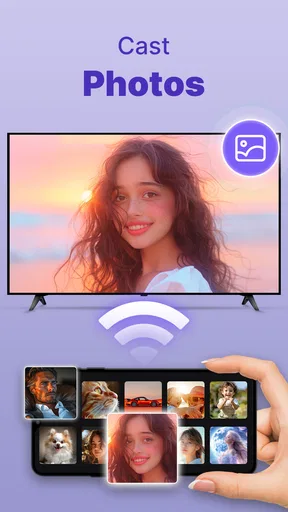
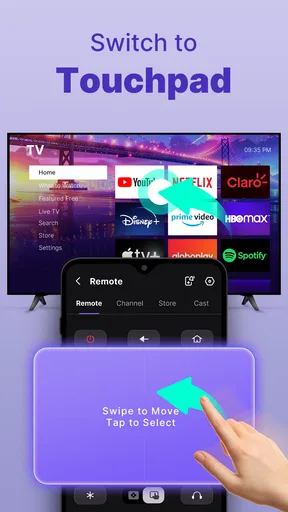
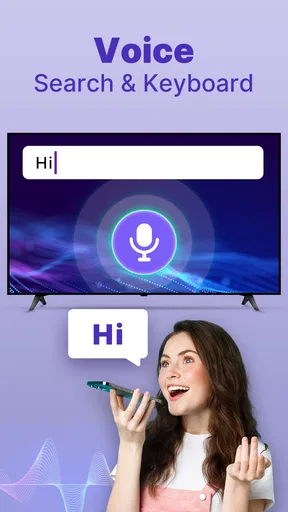
 Analysis by AppCompare
Ever found yourself frantically searching for your TV remote, only to realize it's wedged between the couch cushions or mysteriously vanished into thin air? Yeah, we've all been there. But fret not, because the Smart TV Remote Control App is here to save the day and your sanity. After spending some quality time with this app, I’m ready to spill the beans on why it might just become your new favorite TV buddy.
Who Benefits Most From a Phone-Based Remote?
I find a phone remote most useful as a backup rather than a complete replacement. If the physical remote has gone missing, the phone is already in your hand and can help you get through the immediate problem. It also suits a household where people tend to leave the remote in different rooms, because a phone is less likely to be passed around and misplaced in quite the same way.
There is a practical trade-off: a phone is also the device people use for messages, calls, and other tasks. If you rely on it as the only controller, the battery can become a concern, and a screen that locks or an incoming call can interrupt the simple act of changing the volume. I would keep the original remote within reach if you watch for long stretches or need an always-ready control.
For a realistic evening, imagine settling down to watch something and finding the remote has disappeared. If the TV and phone are already connected as needed, the app can spare you a search through the sofa and let you handle basic viewing controls from your seat. The useful point is preparation: setting up the connection before the remote goes missing is less stressful than trying to configure a new control while everyone is waiting for the program to start.
Readability and Navigation in Everyday Use
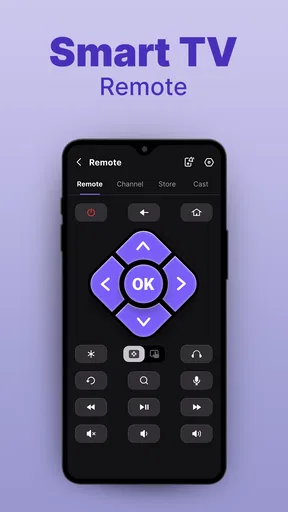
Once you open the app, you're greeted with a clean, intuitive interface. I was pleasantly surprised at how straightforward everything was. The buttons are large enough to avoid any accidental presses (because who hasn’t accidentally changed the channel in the middle of a crucial game?), and the layout is pretty much what you’d expect from a traditional remote. It's like the designers peeked into our living room struggles and crafted something that just makes sense.
That familiar arrangement matters more than it might seem. A remote app is not much help if every common action takes several taps or if controls are difficult to locate. Here, the traditional layout gives me a quick mental map: I can look for the control I need instead of learning an entirely new way to operate the TV. If you have trouble reading small on-screen elements, though, a phone’s display size and the app’s appearance may still be less comfortable than a physical remote with tactile buttons. I would test it in the room and at the text size you normally use rather than assume every phone screen will feel equally clear.
The app is a free tools app from Vsray Technology. It has an average rating of 4.0 from around 8,400 ratings, and has been installed over a million times. Those figures suggest it has found an audience, but they don’t tell me whether it will work with a particular television or suit every household. I’d treat the simple layout as its strongest general advantage, not as a guarantee of compatibility.
Worth Reading Before You Choose

EA SPORTS FC Mobile 26 Is a Bigger Football Game, but It Takes Time

Flipboard Shows What News Apps Must Do Beyond the Feed

Switching to Android Auto Means Rethinking Your Driving Routine

Google Calendar Makes a Crowded Week Easier to Manage

Ludo King Makes the Most of the Minutes Between Plans

Baby Panda World Brings Quick Play to Modern Phones, but Its Game Library Feels Busy
Seamless Setup and User-Friendly Interface
First things first, setting up the Smart TV Remote Control App is as easy as pie. I downloaded it on my Android, and let me tell you, the process was smoother than a freshly buttered biscuit. You just need to ensure your phone and TV are on the same Wi-Fi network, and you're good to go. No fiddling with complicated settings or tech wizardry required.
That network requirement is also the first thing I would check if the app does not find the TV. Confirm that both devices are connected to the same Wi-Fi network before repeatedly tapping controls or restarting the app. A guest network or separate router bands can sometimes leave household devices unable to see one another, so checking the network arrangement is a more useful first step than assuming the phone remote itself is broken.
Features That Make Life Easier
Alright, let’s dive into the features that make this app shine. One of my personal favorites is the voice control. Sometimes I'm just too comfy to reach out for the phone, so being able to say "Hey, change to Netflix" is a game-changer. It's like having a mini assistant dedicated to your TV needs.
Another nifty feature is the customizable button layout. You can tailor the remote to fit your viewing habits. Love jumping between channels and streaming apps? Set it up that way! It’s all about making the experience as personal and efficient as possible.
The app also supports multiple device connections. So, if you’ve got a TV in the living room, bedroom, and even the kitchen (no judgment here), you can control them all from one place. It’s like having a universal remote that never gets lost.
These options are most useful when they reduce steps you repeat every day. I’d arrange the controls around the actions I use most, then see whether switching between TVs is clear enough to avoid sending a command to the wrong room. With multiple devices, a quick glance at the selected TV before changing volume or playback is a small habit that can prevent confusion. Voice control can be convenient when your hands are occupied, but it is not always the best choice in a quiet room, around other people, or when speaking commands is uncomfortable. In those situations, tapping the on-screen controls remains the more discreet option.
Motor and Sensory Considerations
A phone can be easier to bring close than a remote that has slipped to the far end of a sofa, and the app’s larger on-screen buttons may help some people select controls more deliberately. Customizing the layout can also reduce the amount of searching involved if your most-used actions are placed where you expect them. Those are practical advantages, but they do not make a touchscreen equivalent to physical buttons.
There is no tactile feedback from a phone screen, so someone who depends on feeling the shape of a button may prefer the original remote. Likewise, voice control can reduce the need for precise taps, yet it depends on being comfortable speaking a command and on the room being suitable for voice use. I see these as different ways to interact, not a single solution that will fit every motor or sensory preference.
Performance and Reliability
Now, what good is a remote app if it doesn’t work when you need it most? Luckily, this app has been pretty reliable in my experience. The response time between the app and the TV is snappy, which means no awkward waiting for your TV to catch up with your commands. Whether it’s pausing a movie or increasing the volume, it gets the job done without any hiccups.
During my time with it, I didn’t encounter any glaring bugs or crashes, which is always a plus. The app seems well-maintained and updated regularly, so you can expect a consistent performance.
Situational Access and Alternatives
Compared with a basic physical remote, this app’s appeal is that it can keep several TV controls on one device and offers options such as voice control and a customizable layout. A physical remote remains a better fit when you want buttons you can find by touch, when the phone is charging elsewhere, or when you need a control that does not depend on your phone and home network being ready. The two approaches solve slightly different problems; for many homes, keeping both available is the sensible choice.
It is also worth separating this app from a universal remote that uses a different connection method. The setup described here depends on the phone and TV sharing Wi-Fi, so it is not the right answer for a television that cannot join the network or does not have the smart capabilities needed to work with a phone remote. If you are buying an app specifically to control an older TV, check that basic requirement first rather than expecting a phone alone to make the television compatible.
The app is rated for Everyone and is free to install, with in-app purchases ranging from $3.99 to $29.99 per item. It was released on August 20, 2024, and version 2.1.2 requires Android 5.0 or later. I would look at the purchase options in the app before paying, and decide whether the free experience already covers the controls I actually need. Someone who only wants an occasional backup may not get enough extra value from a purchase to justify it.
A Few Considerations
While I’m a big fan of this app, it’s worth mentioning that it does require your TV to have smart capabilities and be connected to the internet. So, if you’re rocking an older model without these features, you might not be able to reap all the benefits.
Also, while the app is free, there are some ads here and there. They’re not overly intrusive, but if you’re someone who prefers an ad-free experience, you might want to consider the premium version.
Another limitation is the dependence on a working phone. If its battery is low, the screen is difficult to use, or you need to hand the phone to someone else, a conventional remote is simpler. I would also avoid relying on the app as the sole control in a shared home until each person has tried connecting to the right TV and using the controls they need. A setup that is intuitive for me may not feel as direct for someone else.
Final Thoughts
In a world where convenience is king, the Smart TV Remote Control App is a worthy contender for simplifying your TV-watching routine. It’s reliable, easy to use, and packed with features that make it more than just a replacement for a lost remote. It’s a step towards a more streamlined, hassle-free entertainment experience.
So, if you’re tired of the remote control hide-and-seek game, give this app a whirl. You might just find it becoming an indispensable part of your digital toolkit. Happy viewing!
My inclusive verdict is that this is a useful option for people who are comfortable using a phone screen and want a convenient backup, especially when several smart TVs need to be controlled from one place. It is less suitable for anyone who needs tactile buttons, wants a controller that works independently of Wi-Fi, or expects a phone app to support a non-smart television. I’d try the basic setup first, check that the TV appears reliably, and then decide whether voice control or a customized layout genuinely makes everyday viewing easier.
Pros
- Easy setup with most smart TVs.
- User-friendly interface design.
- Supports voice commands.
- Customizable remote layout.
- Quick response time.
Cons
- Ads can be intrusive.
- Limited compatibility with older TVs.
- Requires stable Wi-Fi connection.
- Some features need in-app purchases.
- May drain battery quickly.
FAQs for Smart TV Remote Control APP
How do I set up the Smart TV Remote Control app with my television?
Setting up the Smart TV Remote Control app is straightforward. First, ensure that both your smartphone and TV are connected to the same Wi-Fi network. Open the app and follow the on-screen instructions to detect your TV. Once detected, select your TV from the list, and the app will guide you through the pairing process.
Is the Smart TV Remote Control app compatible with all TV brands?
The app supports a wide range of popular TV brands, including Samsung, LG, Sony, and more. However, compatibility can vary depending on the model and the software version of your TV. It's best to check the app description or the developer’s website for a detailed list of supported brands and models.
Does the Smart TV Remote Control app require a subscription or in-app purchases?
The app is free to download and use, but it may offer in-app purchases or a premium version with additional features. These could include removing ads, accessing advanced controls, or unlocking extra functionalities. Be sure to review the app’s pricing details and user reviews to decide if the premium features are worth it for your needs.
Can I use the Smart TV Remote Control app to control other smart devices?
While the primary function of the app is to control your TV, some versions may offer compatibility with other smart home devices. This could include sound systems, streaming devices, or other appliances. Check the app’s feature list or contact the developer to see if it can integrate with your specific devices.
What should I do if the Smart TV Remote Control app is not working properly?
If you experience issues with the app, first ensure that both your smartphone and TV are connected to the same Wi-Fi network and that your app is updated to the latest version. Restarting both your phone and TV can also resolve common issues. If problems persist, consult the app’s support section or reach out to the developer for troubleshooting advice.


